



Download VN Video Editor – Free, Powerful, Cross‑Platform Video Editing Tool
VN Video Editor has quickly become a favorite among creators who need a robust, free‑to‑download video editor that works on macOS, Windows, Android, and iOS. Unlike many freemium competitors that slap watermarks on every export, VN delivers professional‑grade results without any branding, and it does so through an intuitive interface that welcomes beginners while still offering the depth that seasoned editors crave. Whether you’re cutting together a quick TikTok clip, polishing a YouTube tutorial, or assembling a short film, VN Video Editor provides all the essential tools—trim, cut, split, multi‑track timelines, keyframe animation, LUT support, and more—without demanding a subscription. The optional VN Pro tier unlocks additional premium effects, but the core application remains fully functional and ad‑free, making it an excellent entry point for anyone looking to upgrade from mobile‑only editing to a desktop‑level workflow.
Key Features that Set VN Video Editor Apart
- Multi‑Track Editing: Separate audio, video, text, stickers, and images on independent tracks, eliminating the chaos of mixed layers.
- Advanced Cutting Tools: Trim, cut, crop, and split clips with pixel‑perfect precision, all accessible via a single tap on the timeline.
- Rich Effect Library: Hundreds of built‑in filters, transitions, and keyframe‑driven animations, plus support for custom LUTs and fonts.
- Watermark‑Free Exports: Every video renders without a VN logo, even in the free version, and the optional “Directed By” tag can be removed during editing.
- Cross‑Device Workflow: Use AirDrop (or similar sharing methods) to move drafts between Mac, iPad, and iPhone, allowing seamless editing on the go.
- Subtitle Customization: Adjust size, placement, angle, and style of subtitles, with ready‑made templates for quick branding.
- Export Flexibility: Choose resolution, frame rate, and average bitrate; fast rendering speeds make posting to TikTok or YouTube a breeze.
- Secure, Ad‑Free Experience: No intrusive ads, no hidden fees, and all data stays on your device.
Installation, Usage Instructions, and Compatibility
Getting started with VN Video Editor is straightforward. Visit the official website or your device’s app store, download the installer for your platform, and follow the on‑screen prompts. The macOS and Windows versions provide a classic installer package (.dmg or .exe), while Android and iOS users can install directly from Google Play or the Apple App Store. After installation, launch the app and sign in with a free VN account to sync projects across devices.
Step‑by‑step usage guide:
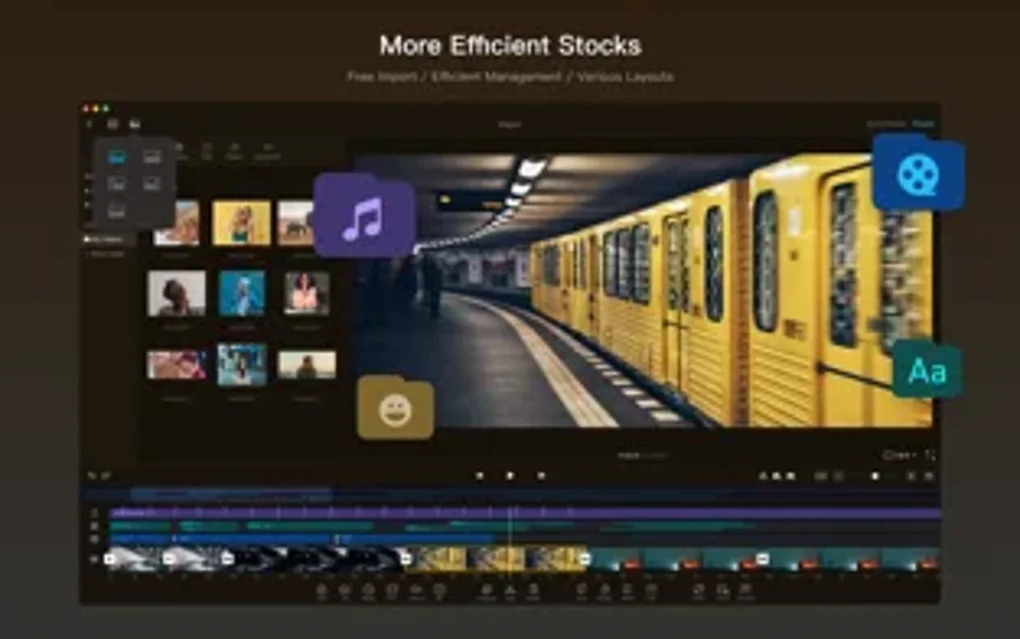
- Import media by dragging files into the media bin or using the “+” button to browse your folders.
- Drag clips onto the timeline. Use the multi‑track view to separate audio from video or add text overlays on a dedicated track.
- Apply cuts with the scissors icon, trim edges by dragging clip borders, and split clips at any point for finer control.
- Choose a transition from the Effects panel; note that some transitions may introduce a brief audio‑video gap, which can be manually adjusted in the timeline.
- Enhance colors using built‑in filters or import custom LUTs via the Settings → LUT Import menu.
- Add subtitles by selecting the Text tool, typing your script, and customizing style options in the Subtitle panel.
- When finished, click Export, set your desired resolution (1080p, 4K, etc.), frame rate (24‑60 fps), and bitrate, then press “Export”. The file saves locally and can be shared instantly.
Supported Operating Systems: macOS 10.13+; Windows 10/11 (64‑bit); Android 7.0+; iOS 13+.
Pros, Cons, and Frequently Asked Questions
Pros
- Completely free core version with no watermarks.
- Intuitive UI that shortens the learning curve for beginners.
- Powerful multi‑track editing comparable to paid desktop suites.
- Fast export speeds optimized for social‑media publishing.
- Cross‑platform project syncing via AirDrop or cloud sync.
Cons
- Some advanced transitions may cause minor audio‑video sync gaps.
- LUT and font import features are only available in the Pro subscription.
- Limited collaboration tools; not ideal for large production teams.
- No built‑in motion‑tracking or 3D compositing modules.
Frequently Asked Questions
Is VN Video Editor truly free or does it contain hidden costs?
The core VN Video Editor is completely free and does not add watermarks to your exports. All essential editing tools are available without a subscription. VN Pro is an optional paid upgrade that unlocks extra effects, premium LUTs, and advanced export presets, but it is not required for basic editing.
Can I edit videos on both my Mac and iPhone without losing progress?
Yes. VN Video Editor supports seamless project transfer via AirDrop or its cloud sync feature. Simply save your draft on one device, share it, and open it on the other device to continue editing exactly where you left off.
What export formats does VN Video Editor support?
Exports are available in MP4 (H.264) and MOV containers, with adjustable resolution, frame rate, and bitrate. The app also supports exporting in 4K UHD for compatible hardware.
Is there a limit to the length of videos I can edit?
VN Video Editor does not impose a hard time‑code limit. The practical limit is based on your device’s storage and processing power. Most modern computers and smartphones handle projects up to several hours without issue.
How secure is my project data when using VN Video Editor?
All project files are stored locally on your device unless you choose to sync them via VN’s optional cloud service. The app does not embed ads or third‑party trackers, ensuring a privacy‑friendly editing environment.
Review Summary: VN Video Editor delivers a surprisingly powerful suite of tools for free, making it a top choice for creators on a budget. Its intuitive UI, multi‑track timeline, and fast export engine outweigh the minor drawbacks of occasional transition glitches and limited collaborative features.
Conclusion – Why You Should Download VN Video Editor Today
If you’ve been searching for a video editing solution that balances professional capabilities with a zero‑cost model, VN Video Editor checks every box. Its ad‑free, watermark‑free core version provides a solid foundation for both novice and experienced editors, while the optional Pro upgrade offers a path to even more creative possibilities. The cross‑platform support, fast rendering, and flexible subtitle tools make it especially suited for social‑media creators who need to publish quickly without compromising quality. Download VN Video Editor now, start crafting compelling videos, and enjoy the freedom of a full‑featured editor without the usual price tag.







